StockWise · iOS & Android

Never run out. Never over-buy.

StockWise learns what your household actually consumes, then quietly tells you what to add to the list before you run out — and adjusts for parties, vacations, and weeks when guests stay over.
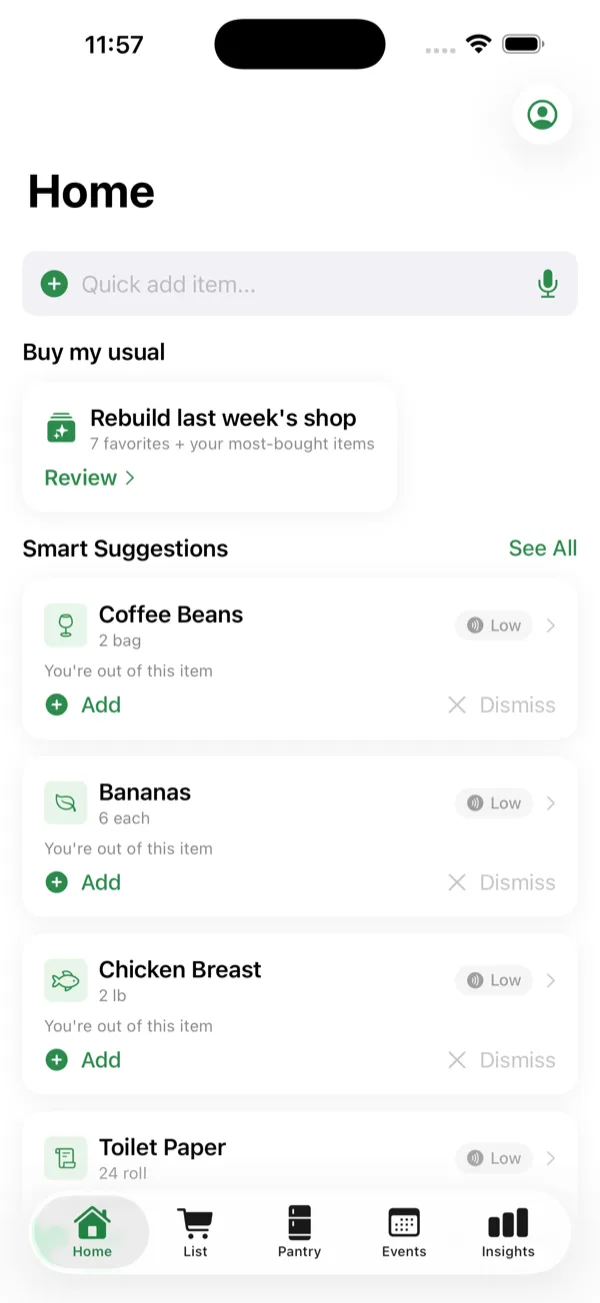
StockWise Home screen showing Smart Suggestions — coffee beans, bananas, and chicken breast flagged as running low
"Hey… do we still have eggs?"
Texted from aisle 7. Again.

Every shopping trip quietly costs you six things. StockWise was built to fix all six.

You forget.
Run out of staples mid-week, then make a second trip.
You double-buy.
Three jars of mustard. Two opened bags of rice.
You overspend.
Impulse aisles, no budget, no idea where it went.
You lose time.
One forgotten item turns into a whole second trip.
You throw it out.
Over-bought food spoils in the fridge — your money and the planet, wasted.
You carry it all.
You're the household's inventory system: what's low, who needs what.
"Software for the part of your week that should never have been hard."
— The StockWise idea

Most grocery apps are glorified notepads. StockWise pays attention — to what you buy, how fast you go through it, what's already in the pantry, who's coming over this weekend, and when you're leaving town.

Then it does the boring math so you don't have to.

How it works

Three trips, then it writes the list for you.

1 First trip

Build your shopping list.

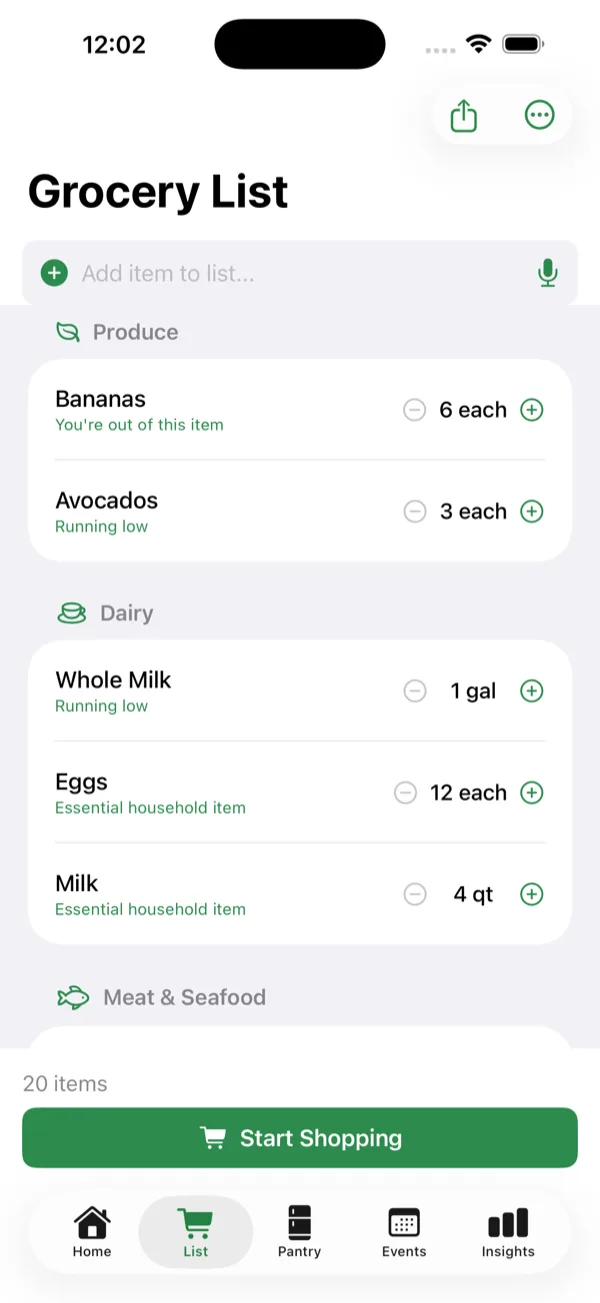
Type, dictate, or tap from suggestions. StockWise groups everything by aisle automatically, so the list reads in the order you actually walk the store.

StockWise grocery list grouped by aisle — Produce, Dairy, and Meat & Seafood with quantities
2 At the store

Shop with focus.

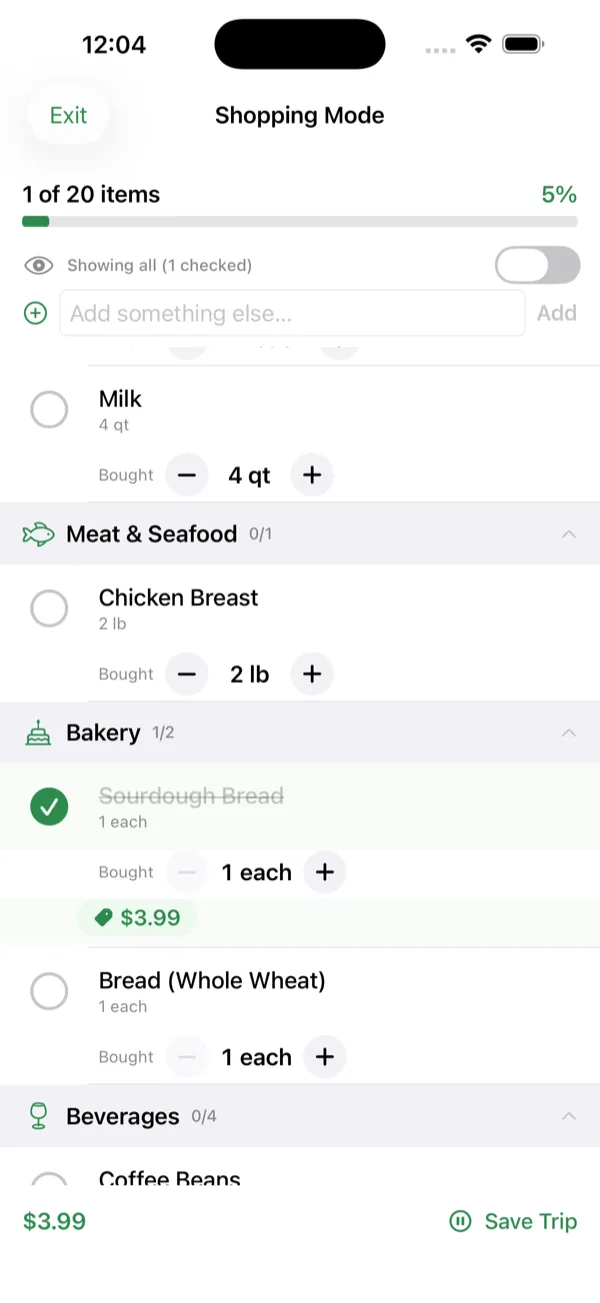
Big checkboxes, category grouping, and a keep-screen-on mode. Track prices as you go — or just check things off and keep moving.

StockWise Shopping Mode showing a progress bar, checked-off items, and a running trip total
3 After two or three trips

It starts writing the list for you.

StockWise watches your shopping cadence and quietly suggests what to buy this week — before you remember to. Add an item with one tap, or dismiss it and it learns.

StockWise Home with Smart Suggestions and a one-tap option to rebuild last week's shop
What it does

Six things, done carefully.

01 — Anticipation

It learns your patterns.

StockWise watches what you buy and how often, then predicts when you'll run out. The more you shop, the more confident the predictions get. After about five purchases of an item, it knows you. Before that, it errs on the cautious side.

02 — Life events

It adapts to your week.

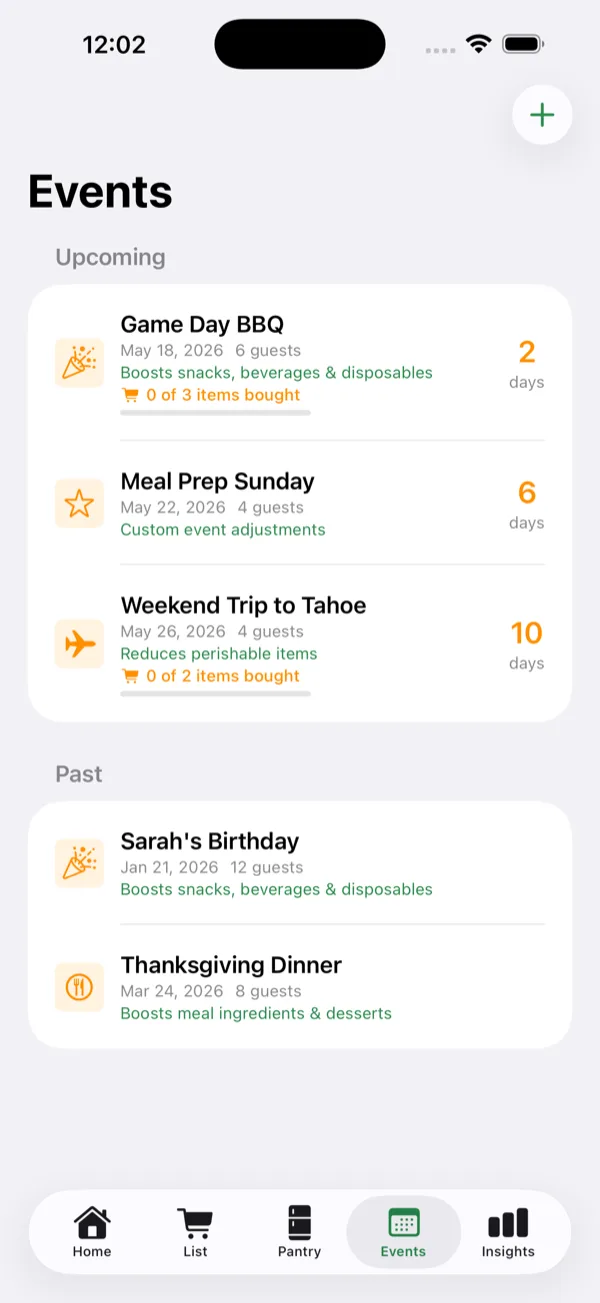
Hosting a BBQ? Going on vacation? Holiday meal? Add an Event and StockWise quietly shifts its math — boosting snacks and beverages before a party, dialing back perishables before you travel, scaling up dessert and condiments before a holiday meal.

03 — Capture

Talk, type, or ask Siri.

Tap once and dictate. StockWise's voice mode runs on-device — your audio never leaves your phone — and splits "milk, bread, eggs and bananas" into four separate items. Siri shortcuts let you add to the list hands-free, from your watch, or while driving.

04 — Multi-store

Shop across multiple stores.

StockWise remembers which store you usually buy each item at, then splits your list automatically when you start shopping. Switch stores mid-trip and the remaining items stay organized. Override any suggestion and StockWise learns the new preference.

05 — Spend

Track spend without typing.

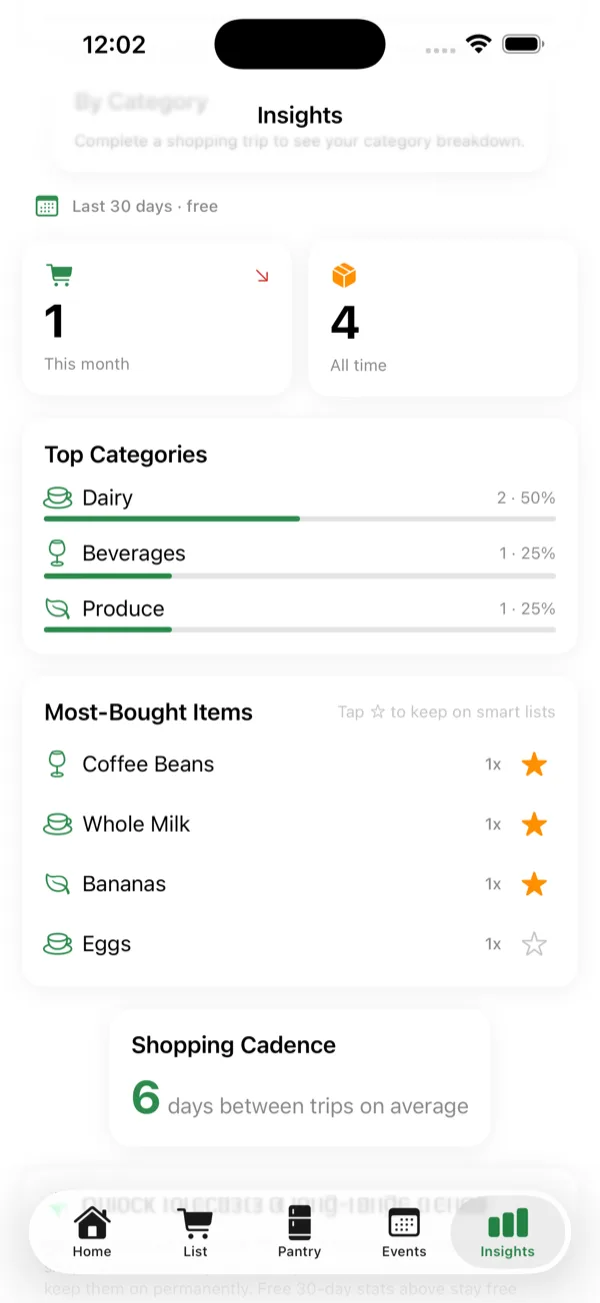
Choose your level of detail — full receipt total, per-section subtotals, or per-item. StockWise rolls everything into a monthly view, draws a six-month trend line, and flags price anomalies when an item suddenly costs more than its 90-day average.

06 — Privacy

Private by design.

No account. No server. Your data lives on your device and syncs through your private iCloud — never to ours. Speech recognition runs on-device. Anonymous analytics are opt-out at any time. We can't see your grocery list because we never have it.

See it in action

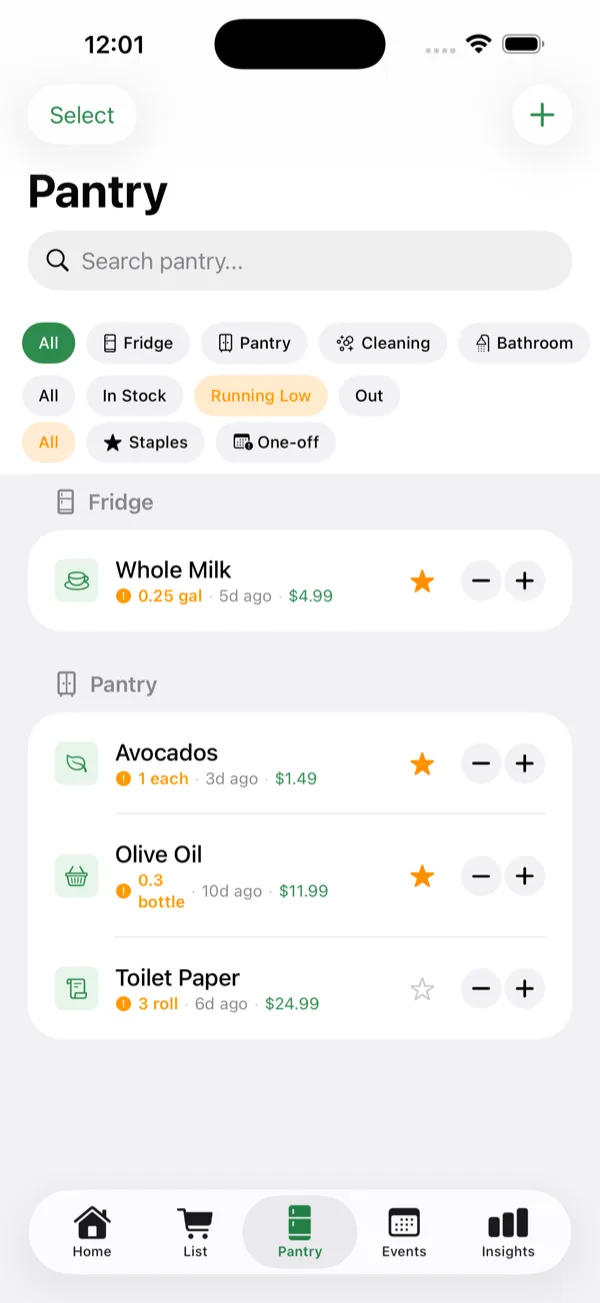
Pantry, events, and money — sorted.

All of it comes free, on every plan.

A note on privacy

We don't have your data.

StockWise is offline-first by architecture, not by marketing. There is no Amogh Tech server holding your shopping list. There is no account to create. When you open the app for the first time, no information leaves your device.

If you turn on iCloud sync, your data syncs through Apple's private CloudKit container — encrypted in transit and at rest, accessible only by your Apple ID, invisible to us. Voice transcription runs on-device using your phone's built-in speech recognizer.

The one exception is opt-in anonymous analytics (counts of features used, no content), which you can disable in Settings at any time. The full policy lives in the app and on our privacy page.

FAQ

Common questions.

Is StockWise free?

Yes. The full app is free to use. A one-time in-app purchase (Remove Ads, $4.99 USD) removes the two small native ads on the Home and Pantry tabs and permanently unlocks the Insights tab. You can also unlock Insights for 24 hours by watching a short rewarded ad. There's no subscription.

Does it work offline?

Yes — every core feature works without an internet connection. The only things that need the network are ads, in-app purchases, and (if you've left it on) anonymous analytics.

Does it sync between devices?

On iOS, StockWise uses your private iCloud account for cross-device sync. On Android, multi-device sync is on the v2 roadmap. Everything works locally in the meantime.

Does StockWise sell my data?

No. We don't have your data — there is no Amogh Tech server holding your shopping list, household details, or purchase history. We never sell, share, or rent personal information.

Will there be a shared household feature?

Multi-user households are planned for a future release. Today, StockWise is built for a single household member's device (with iCloud sync across that person's own devices). Shared editing across family members is on the roadmap.

Get StockWise

Free on iOS and Android.

StockWise is live. Download it free — no account, no subscription — and start building smarter shopping lists today. Questions? Reach us at hello@amoghsa.com.